InVideo AI Editor 2026: AI Effects Se Videos Edit Kaise Karein?
Aaj kal video content sirf YouTube tak limited nahi raha. Instagram Reels, TikTok, Facebook aur online businesses ke liye bhi professional videos ki demand hai. Lekin cinematic effects, transitions aur visual polishing mein kaafi waqt lag sakta hai.
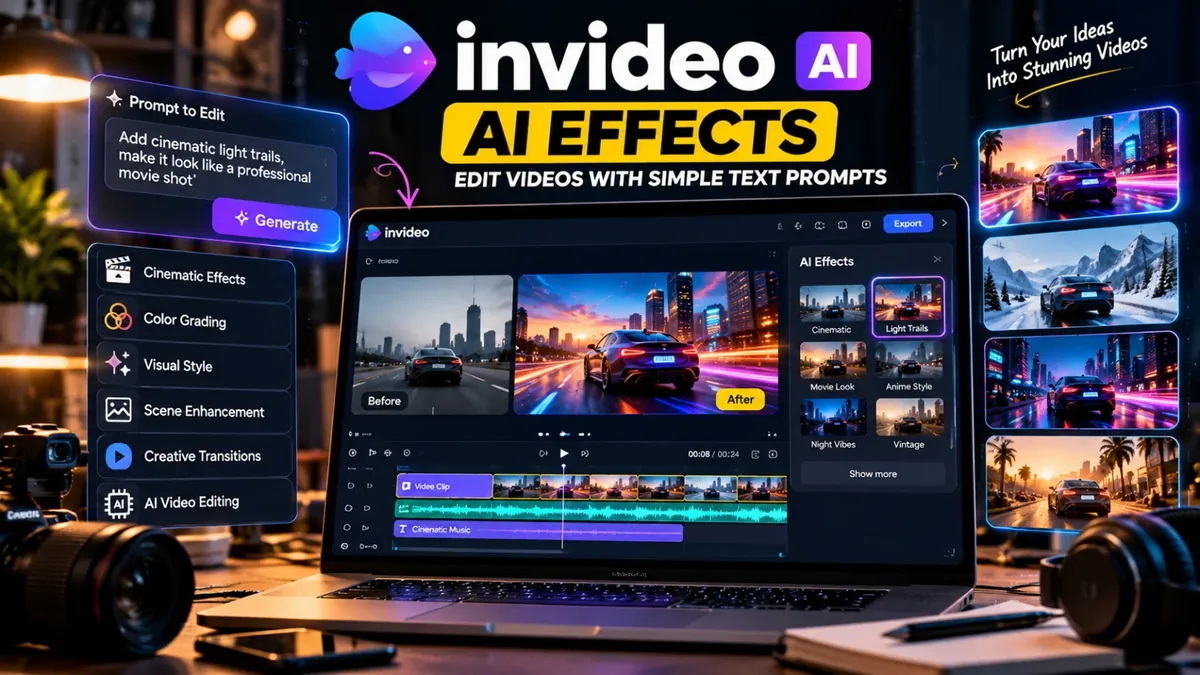
AI-powered editing tools is process ko simplify karne mein help karte hain. InVideo ne 30 September 2026 ko apne editor ke liye Agentic Effects announce kiye. Is feature ka maqsad existing video footage par AI ki madad se custom visual effects create karna aur unhein refine karna hai. Details ke liye InVideo ki official announcement dekhein.
InVideo AI Editor Kya Hai?
InVideo ek online video creation aur editing platform hai jo content creators, marketers aur businesses ko videos banane mein help karta hai. Iske tools video production ke mukhtalif stages mein kaam aa sakte hain.
Agentic Effects ka focus existing footage ko creative effects ke saath enhance karne par hai. Aap apni desired visual effect describe kar sakte hain aur phir generated result ko review aur refine kar sakte hain. Final output ki quality footage aur available editing controls par depend karti hai.
InVideo AI Effects Kin Logon Ke Liye Useful Hain?
- YouTubers: B-roll clips aur cinematic scenes ko enhance karne ke liye.
- Freelancers: Client videos ke liye different visual styles explore karne ke liye.
- Instagram aur TikTok creators: Short-form videos ko visually engaging banane ke liye.
- Digital marketers: Product promotions aur advertising creatives tayyar karne ke liye.
- Small businesses: Products aur services ko video content ke zariye present karne ke liye.
InVideo AI Effects Kaise Use Karein?
- InVideo open karein: Official InVideo website par jaa kar sign in karein.
- Editor aur feature availability check karein: Confirm karein ke Agentic Effects aapke account mein available hain.
- Apni video select karein: Woh footage import karein jis par aap effect apply karna chahte hain.
- Effect describe karein: Misal ke taur par, “Add subtle cinematic light trails to the car headlights while keeping the rest of the scene natural.” Prompt ko apni footage ke mutabiq adjust karein.
- Result review karein: Check karein ke effect natural lag raha hai aur main subject clear hai.
- Final editing karein: Available controls ke mutabiq effect refine karein, phir video export karne se pehle audio aur visual quality check karein.
Kya InVideo AI Editor Free Hai?
InVideo ke plans, credits, usage limits aur export options waqt ke saath change ho sakte hain. Har AI feature ko free assume nahi karna chahiye. Subscription lene se pehle InVideo ki official pricing page par current plans aur included features check karein.
Agar aap Pakistan se use kar rahe hain, to payment method, applicable charges aur apne required feature ki availability bhi purchase se pehle confirm kar lein.
AI Video Editing Se Behtar Results Kaise Lein?
- Clear aur achhi quality ki original footage use karein.
- Har clip par effects lagane ke bajaye sirf relevant scenes ko enhance karein.
- Video ka style apne audience aur platform ke mutabiq rakhein.
- Client projects mein licensed footage, music aur assets use karein.
- Final export ko mobile aur desktop dono par check karein.
Yaad rakhein, AI editing aapka workflow improve kar sakti hai, lekin achhi storytelling, timing aur creative decisions ab bhi important hain.
Conclusion
InVideo AI Editor aur Agentic Effects video creators ko existing footage ke saath naye visual ideas explore karne ka option dete hain. YouTubers, freelancers aur social media marketers ke liye yeh useful workflow ho sakta hai, lekin feature availability aur pricing pehle verify karna zaroori hai.
Agar aap apne content creation, design aur freelancing workflow ke liye digital tools explore karna chahte hain, to Saste Tools ke available digital tools check karein → Apni needs ke mutabiq tool choose karein aur purchase se pehle product details confirm kar lein.