Google SynthID Detector: AI Image, Video & Audio Kaise Check Karein?
AI-generated images, videos aur audio ab itne realistic ho chuke hain ke sirf dekh kar ye decide karna mushkil hota ja raha hai ke koi media real hai ya AI se bana hai.
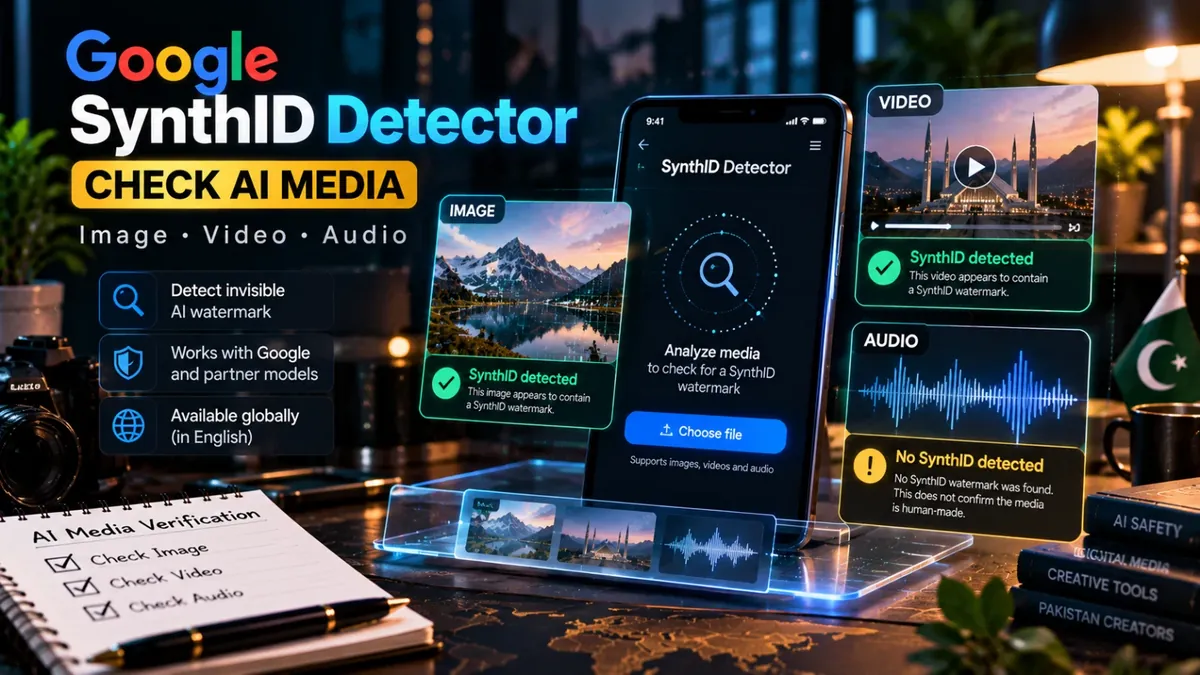
Isi problem ko address karne ke liye Google ne SynthID Detector ko public ke liye expand kar diya hai. Google ke mutabiq ab koi bhi person images, videos aur audio ko check kar sakta hai ke unmein SynthID invisible watermark maujood hai ya nahi.
Ye update 7 October 2026 ko announce hua aur tool globally English mein available kar diya gaya. Google ke mutabiq SynthID Detector Google ke AI ke saath participating partner models se generated media ko bhi verify kar sakta hai, including OpenAI, NVIDIA aur Kakao. Apple ko Google ne future partner ke taur par mention kiya hai.
SynthID Detector Kya Hai?
Simple words mein, SynthID Detector ek AI-media verification tool hai.
Google ka SynthID system AI-generated media ke andar ek invisible watermark embed karta hai. Ye watermark normal viewing ke waqt nazar nahi aata, lekin compatible verification technology us signal ko detect kar sakti hai.
Detector ka purpose ye check karna hai ke uploaded image, video ya audio file mein SynthID watermark present hai ya nahi.
Yahan ek important distinction samajhna zaroori hai: SynthID Detector universal AI detector nahi hai. Agar kisi file mein SynthID watermark nahi milta, iska matlab automatically ye nahi hota ke media human-made hai.
AI Image, Video Aur Audio Kaise Check Karein?
Process relatively simple hai:
- SynthID Detector website open karein.
- Apni image, video ya audio file select karein.
- Tool media ko analyze karega.
- Result mein dekhein ke SynthID watermark detect hua hai ya nahi.
- Agar watermark detected ho to Google ke compatible AI ecosystem se related indication mil sakti hai.
Iska biggest benefit ye hai ke aapko kisi complex AI-forensics software ki zaroorat nahi padti. Browser-based verification workflow normal users ke liye bhi accessible hai.
“SynthID Detected” Ka Kya Matlab Hai?
Agar Detector SynthID detect karta hai, to iska matlab hai ke file mein Google ka SynthID signal mila hai.
Ye strong evidence ho sakta hai ke media kisi SynthID-compatible AI system ke through generated ya edited hua hai.
Google ke current announcement ke mutabiq SynthID ka use images, videos aur audio mein ho raha hai. Google ka kehna hai ke usne ab tak more than 180 billion images and videos aur approximately 240,000 years of audio ko SynthID se watermark kiya hai.
“SynthID Not Detected” Ka Matlab Kya Hai?
Ye sabse important point hai.
Agar result mein “SynthID not detected” aaye to iska matlab sirf ye hai ke Detector ko compatible SynthID watermark nahi mila.
Is result ko “100% real” ya “human-made” ka certificate samajhna mistake hogi.
Media kisi doosre AI generator se bana ho sakta hai jo SynthID use nahi karta, ya file kisi aise system se generate hui ho jo abhi compatible nahi hai. Editing, transformation ya watermark-related changes bhi verification ko affect kar sakte hain.
Isliye suspicious image ya video ko verify karte waqt multiple signals use karna better approach hai.
Pakistan Mein SynthID Detector Available Hai?
Google ne SynthID Detector ko globally in English available announce kiya hai. Google ke announcement mein Pakistan ko separate unsupported market ke taur par list nahi kiya gaya.
Isliye Pakistani users ke liye practical step ye hai ke official SynthID Detector website open karke access check karein. Availability account, browser aur service conditions ke mutabiq change ho sakti hai.
Abhi official announcement ke mutabiq public version English mein available hai.
Pakistani Creators Ke Liye Ye Tool Useful Kyun Hai?
Pakistan mein AI-generated content ka use creators, freelancers, marketers aur online businesses mein rapidly grow kar raha hai.
For example, agar aapko WhatsApp par koi suspicious product image mili hai, kisi brand ka AI advertisement mila hai, ya social media par koi unusual video viral ho raha hai, to SynthID ek additional verification step provide kar sakta hai.
- AI-generated social media images verify karna
- AI-generated videos check karna
- AI voice/audio content verify karna
- Client-submitted creative assets inspect karna
- Content publishing se pehle verification karna
- Fake-looking viral media ko investigate karna
Creators Aur Freelancers Ko Kya Karna Chahiye?
Agar aap client ke liye content create karte hain, to AI-generated assets ko properly label aur document karna useful practice hai.
Suppose client aapko ek product image deta hai aur kehta hai ke ye original photography hai. Sirf visual appearance par trust karne ke bajaye metadata, source information aur available AI-watermark checks bhi consider kiye ja sakte hain.
Lekin kisi bhi detector ko final legal proof samajhna avoid karein.
SynthID Detector Aur Normal AI Detector Mein Difference
| Feature | SynthID Detector | General AI Detector |
|---|---|---|
| Primary purpose | SynthID watermark check | AI-generated patterns estimate karna |
| Image | Yes | Tool dependent |
| Video | Yes | Tool dependent |
| Audio | Yes | Tool dependent |
| Universal AI detection | No | Usually probabilistic |
Isliye best workflow ek single “AI detector score” par depend karna nahi, balki available evidence ko combine karna hai.
Saste Tools Ka Free Verification Tool Bhi Try Karein
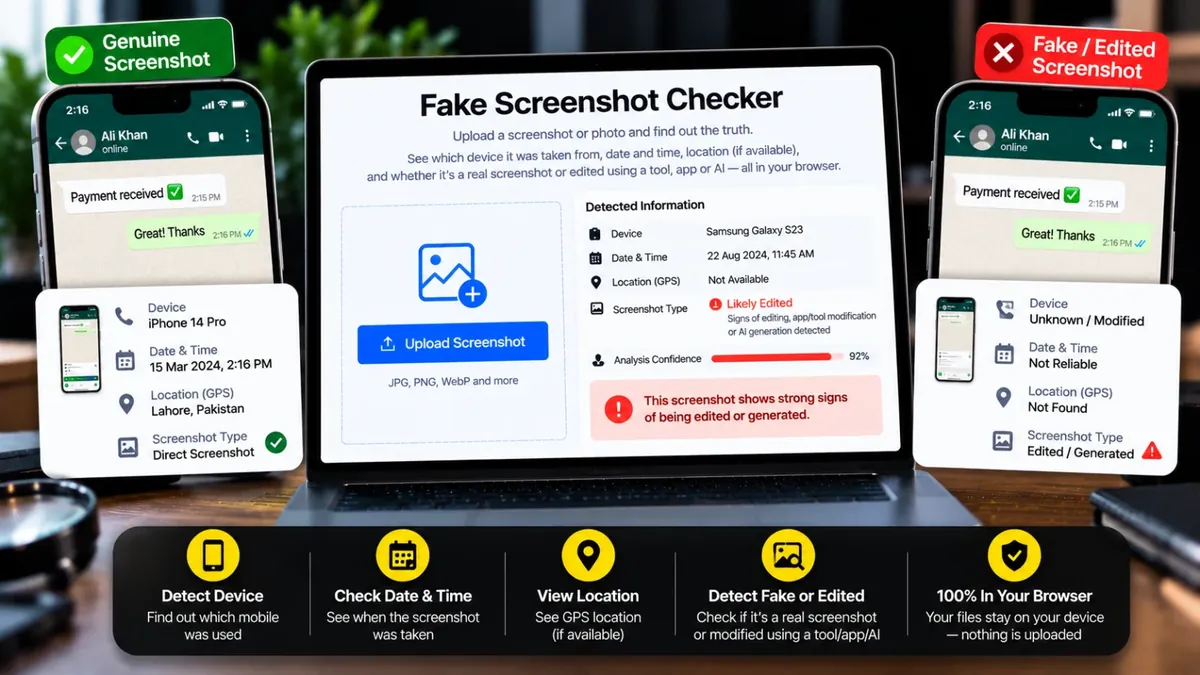
Agar aapko sirf AI watermark check nahi balki kisi suspicious screenshot ya image ke hidden signals bhi inspect karne hain, Saste Tools ka Fake Screenshot Checker ek additional free verification step provide karta hai.
Ye tool metadata, device information, capture details aur available editing/AI-related signals ko inspect karta hai. Analysis browser mein hota hai, aur tool khud clearly warn karta hai ke result ko 100% proof nahi samajhna chahiye.
Free Fake Screenshot Checker try karein →
Important: AI Detector Ko Final Proof Na Samjhein
AI detection technology useful hai, lekin perfect nahi.
Ek “AI detected” ya “SynthID detected” result useful evidence provide kar sakta hai, lekin important financial, legal, business ya identity-related decision sirf detector ke result par nahi lena chahiye.
Agar kisi ne payment screenshot bheja hai, bank transfer ko directly bank app se verify karein. Agar koi viral image important claim support kar rahi hai, original source aur credible reporting bhi check karein.
Final Verdict
Google ka public SynthID Detector AI-generated content verification ko ordinary users ke liye considerably easier banata hai.
Images, videos aur audio ko check karne ki ability creators, freelancers, journalists, marketers aur everyday social-media users ke liye useful ho sakti hai.
Lekin sabse important lesson ye hai: “SynthID not detected” ka matlab “100% real” nahi hota.
AI content verify karte waqt watermark checks, metadata, source verification aur common-sense investigation ko combine karna zyada reliable approach hai.
Bottom line: Agar koi AI-generated media suspicious lag raha hai, pehle SynthID Detector se check karein — aur important cases mein ek second verification method bhi use karein.