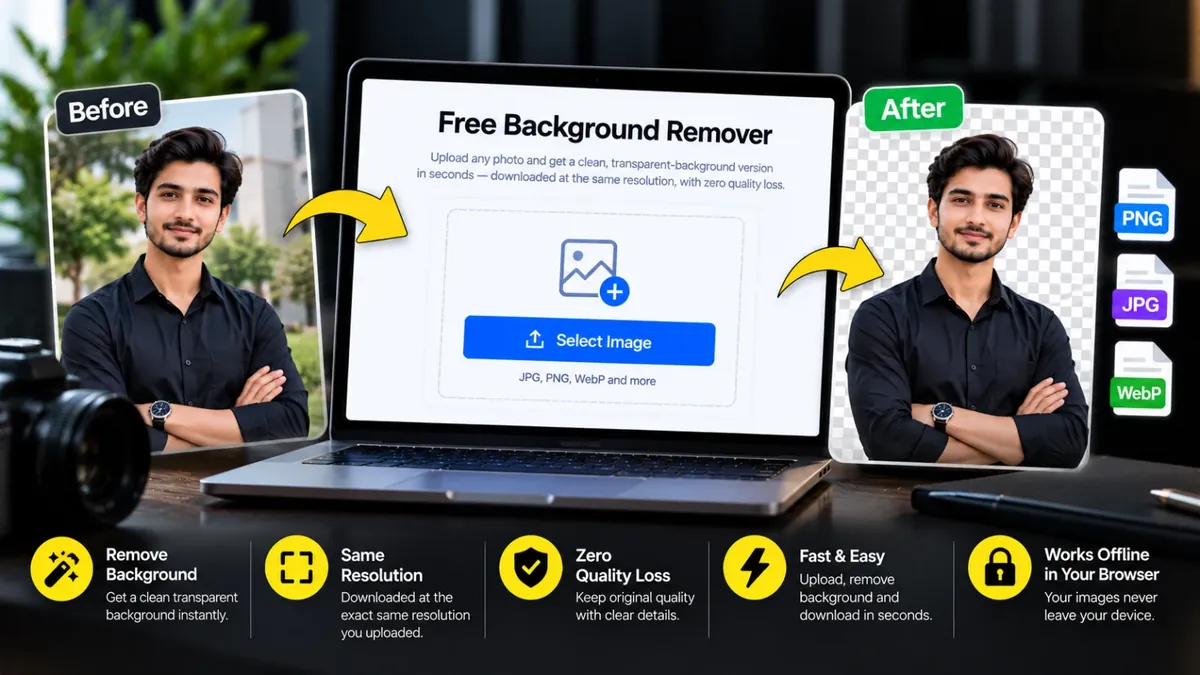
Upload any photo and get a clean, transparent-background version in seconds — downloaded at the exact same resolution you uploaded, with zero quality loss.
A background remover cuts out the subject of a photo and leaves the rest transparent, so you can place your product, portrait or logo on any colour or design. It saves hours of manual selection in an editor.
Upload a JPG, PNG or WebP image, wait a few seconds and download a transparent PNG at the same resolution you uploaded. The AI runs inside your browser, so your photos are not sent to a server. The first use may take a little longer while the engine loads.
Roman Urdu mein: Kisi bhi photo ka background hatana ho to ye free Background Remover istemal karein. Photo upload karein, chand second intezar karein aur transparent PNG download kar lein. Photo aap ke apne phone ya computer ke browser mein hi process hoti hai, kisi server par nahi jati. Online store ke product photos, profile pictures aur thumbnails ke liye kaam aata hai.
Click the box, drag and drop, or paste an image (PNG, JPG or WebP up to 25MB).
The AI engine detects the subject and removes the background in your browser.
Compare before and after, then download the transparent PNG in full quality.
Yes — the tool processes and exports your image at its original resolution, so nothing is downscaled or compressed. The result is a lossless PNG with a transparent background at full quality.
Yes — completely free, with no signup, watermark, or limit on how many images you process.
No. Background removal runs entirely inside your own browser on your device — your images are never uploaded anywhere, so they stay completely private.
A transparent background can only be stored in formats like PNG — JPG doesn't support transparency. Your image content itself stays at full, uncompressed quality.
Upload your image to this tool, wait a few seconds for the AI to process it, then download the transparent PNG. No account or payment is needed.
You can upload PNG, JPG and WebP images up to 25MB. The result is always downloaded as a PNG so the transparency is kept.
Photo upload karein, tool khud subject alag kar deta hai aur aap transparent PNG download kar lete hain. Koi account ya payment nahi lagti.
Agar aap ko is se zyada features chahiye hon to ye premium tools Saste Tools par sasti qeemat mein milte hain.